
Embed Chat & FAQ Widgets in AiFaqChat
Add AI chat and FAQ assistants to your website easily, even if you have no coding experience.
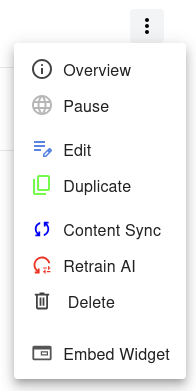
Step 1 — Select 'Embed Widget'
In the Dashboard, locate the website you want to add a widget for. Click the menu next to it and select Embed Widget.
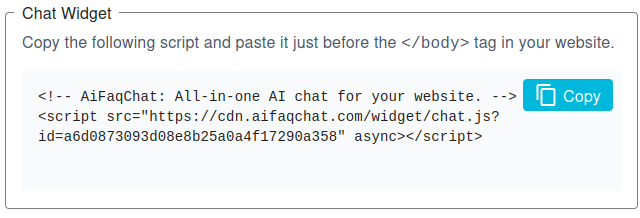
Step 2 — Chat Widget
Copy the provided script and paste it just before the </body> tag on your website.
This will create a floating chat button that opens the AI chat assistant for your visitors.
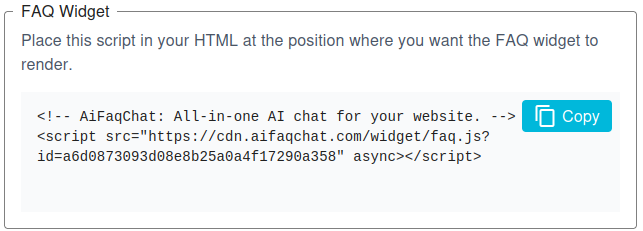
Step 3 — FAQ Widget
Copy the FAQ widget script and place it wherever you want the FAQ to appear on your page. It will render inline and display answers based on your AI training content.
For users without coding experience, simply use a website builder like WordPress, Wix, or Squarespace. Paste the scripts into a Custom HTML or Embed block/module. The Chat widget appears as a floating button, while the FAQ widget appears inline where you place it.